BoxTruck Tutorial
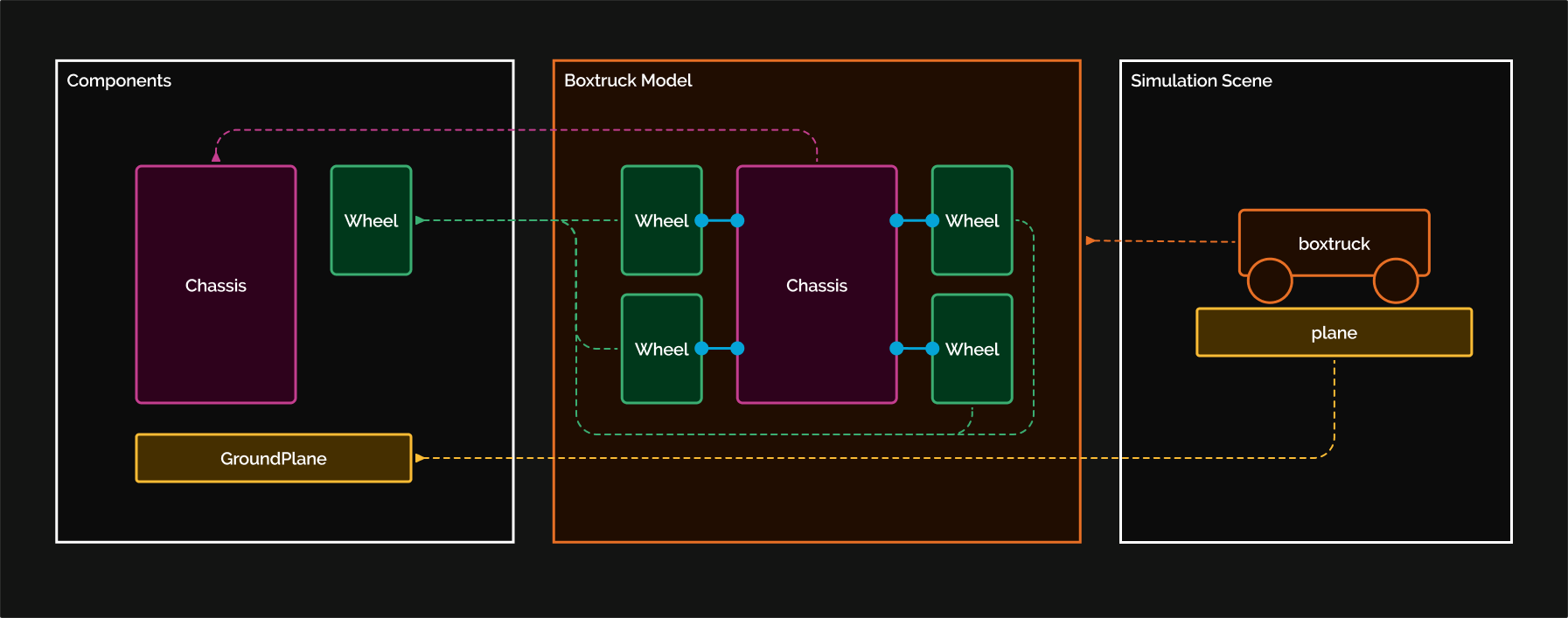
This tutorial walks through a small box truck model in OpenPLX. It starts from the chassis, then adds the wheel model, wheel connectors, and finally a complete drivable BoxTruck system.
Each code section on this page is self-contained, so Open in Editor always loads a runnable scene in the shared footer editor with the 3D view.
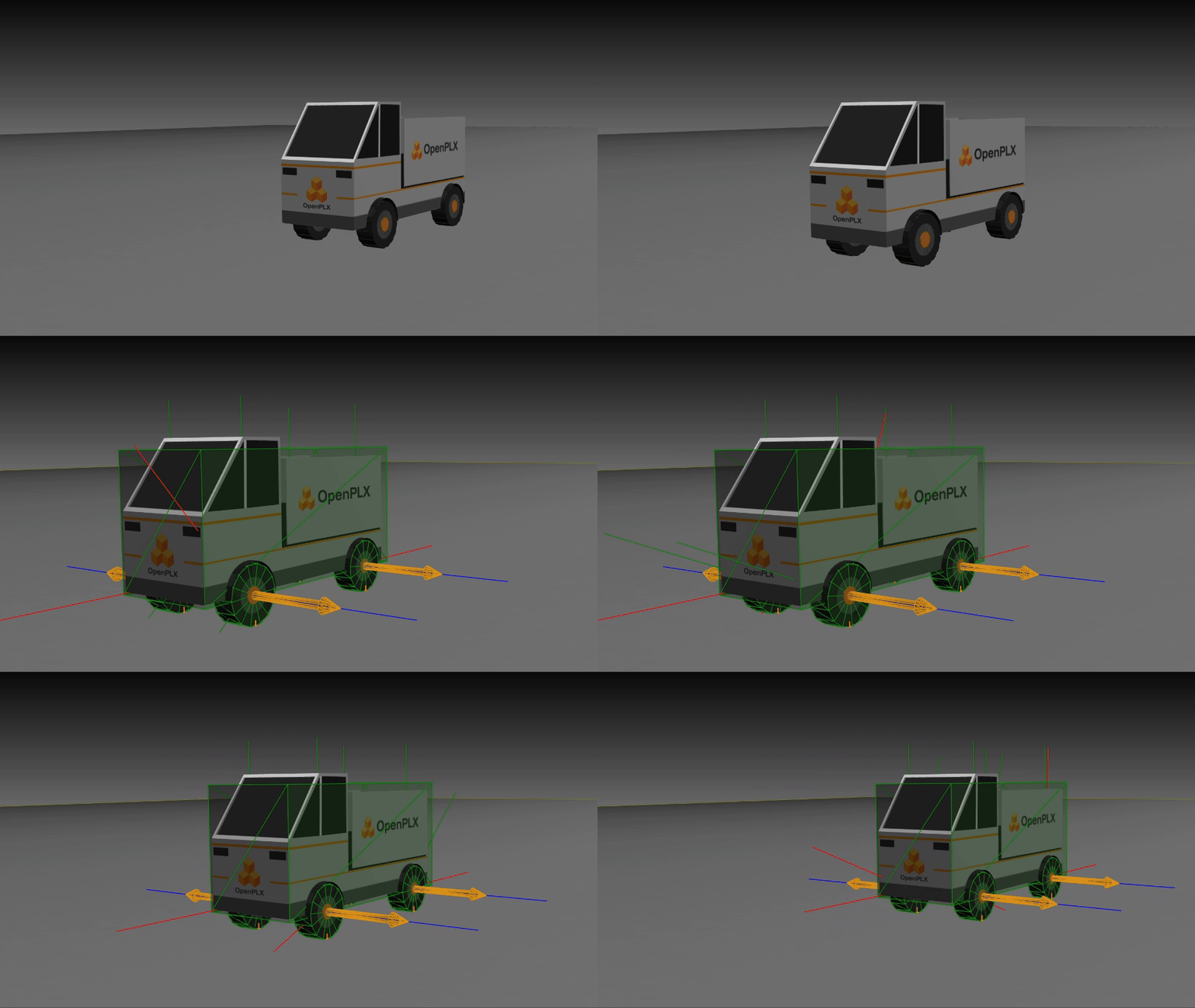
Start with the chassis
The chassis uses a simple box for collision geometry and an imported OBJ mesh for the rendered shape.
const ChassisVisualMaterial is Visuals.Materials.TextureMaterial:
    path: @"boxtruck/Chassis.png"

Chassis is Physics3D.Bodies.RigidBody:
    visual is Visuals.Geometries.ExternalTriMeshGeometry:
        path: @"boxtruck/chassis.obj"
        material: ChassisVisualMaterial
        local_transform.position: { 0, 0, -0.72 }
    geometry is Physics3D.Geometries.Box:
        size:
            x: 3.25
            y: 1.2
            z: 1.5
    inertia.mass: 1000
Scene is Physics3D.System:
    chassis is Chassis:
        kinematics.local_transform.position.z: 1.1
Define the reusable wheel model
Each wheel is a rigid body with a cylindrical collision shape, an imported visual mesh, and a MateConnector that can be used by hinge joints.
const WheelVisualMaterial is Visuals.Materials.TextureMaterial:
    path: @"boxtruck/Wheel.png"

Wheel is Physics3D.Bodies.RigidBody:
    geometry is Physics3D.Geometries.Cylinder:
        radius: 0.32
        height: 0.25
    visual is Visuals.Geometries.ExternalTriMeshGeometry:
        path: @"boxtruck/wheel.obj"
        material: WheelVisualMaterial
    connector is Physics3D.Interactions.MateConnector:
        .agx_debug_render_frame: true
        main_axis: { 0, -1, 0 }
        normal: { 1, 0, 0 }
    inertia.mass: 10
WheelPreview is Physics3D.System:
    wheel is Wheel
Add connectors to the chassis
These four connectors define the local frames where the four wheels should attach to the chassis.
const ChassisVisualMaterial is Visuals.Materials.TextureMaterial:
    path: @"boxtruck/Chassis.png"

Chassis is Physics3D.Bodies.RigidBody:
    visual is Visuals.Geometries.ExternalTriMeshGeometry:
        path: @"boxtruck/chassis.obj"
        material: ChassisVisualMaterial
        local_transform.position: { 0, 0, -0.72 }
    geometry is Physics3D.Geometries.Box:
        size:
            x: 3.25
            y: 1.2
            z: 1.5
    inertia.mass: 1000

    connector_offsets is Math.Vec3:
        x: geometry.size.x * 0.31
        y: geometry.size.y * 0.44
        z: geometry.size.z * 0.48

    front_left_connector is Physics3D.Interactions.MateConnector:
        .agx_debug_render_frame: true
        position:
            x: -connector_offsets.x
            y: -connector_offsets.y
            z: -connector_offsets.z
        main_axis: { 0, -1, 0 }
        normal: { 1, 0, 0 }

    front_right_connector is Physics3D.Interactions.MateConnector:
        .agx_debug_render_frame: true
        position:
            x: -connector_offsets.x
            y: connector_offsets.y
            z: -connector_offsets.z
        main_axis: { 0, 1, 0 }
        normal: { 1, 0, 0 }

    rear_left_connector is Physics3D.Interactions.MateConnector:
        .agx_debug_render_frame: true
        position:
            x: connector_offsets.x
            y: -connector_offsets.y
            z: -connector_offsets.z
        main_axis: { 0, -1, 0 }
        normal: { 1, 0, 0 }

    rear_right_connector is Physics3D.Interactions.MateConnector:
        .agx_debug_render_frame: true
        position:
            x: connector_offsets.x
            y: connector_offsets.y
            z: -connector_offsets.z
        main_axis: { 0, 1, 0 }
        normal: { 1, 0, 0 }
Scene is Physics3D.System:
    chassis is Chassis:
        kinematics.local_transform.position.z: 1.1
Assemble the BoxTruck
Now we can put the chassis and four wheels into one Physics3D.System, and connect each wheel with a hinge.
BoxTruck is Physics3D.System:
    chassis is Chassis:
        kinematics.local_transform.position.z: 1.1

    front_left_wheel is Wheel
    front_right_wheel is Wheel
    rear_left_wheel is Wheel
    rear_right_wheel is Wheel

    front_left_hinge_joint is Physics3D.Interactions.Hinge:
        connectors: [chassis.front_left_connector, front_left_wheel.connector]
    front_right_hinge_joint is Physics3D.Interactions.Hinge:
        connectors: [chassis.front_right_connector, front_right_wheel.connector]
    rear_left_hinge_joint is Physics3D.Interactions.Hinge:
        connectors: [chassis.rear_left_connector, rear_left_wheel.connector]
    rear_right_hinge_joint is Physics3D.Interactions.Hinge:
        connectors: [chassis.rear_right_connector, rear_right_wheel.connector]
Scene is Physics3D.System:
    boxTruck is BoxTruck
Add collision filtering and wheel drive
The final step disables collisions between the truck chassis and its own wheels, then adds rotational velocity motors on the front wheel hinges.
const WheelMaterial is Physics.Geometries.Material:
    unique_name: "Tutorial_BoxTruck_WheelMaterial"
    density: 1000

DrivenWheel is Wheel:
    geometry.material: WheelMaterial

DrivenBoxTruck is BoxTruck:
    front_left_wheel becomes DrivenWheel
    front_right_wheel becomes DrivenWheel
    rear_left_wheel becomes DrivenWheel
    rear_right_wheel becomes DrivenWheel

    chassis_wheels_collision_group is Simulation.CollisionGroup:
        bodies: [chassis, front_left_wheel, front_right_wheel, rear_left_wheel, rear_right_wheel]

    disable_wheel_chassis_collisions is Simulation.DisableCollisionPair:
        group1: chassis_wheels_collision_group
        group2: chassis_wheels_collision_group

    front_left_drive_motor is Physics3D.Interactions.RotationalVelocityMotor:
        connectors: front_left_hinge_joint.connectors
        target_speed: 1

    front_right_drive_motor is Physics3D.Interactions.RotationalVelocityMotor:
        connectors: front_right_hinge_joint.connectors
        target_speed: -1

Scene is Physics3D.System:
    boxTruck is DrivenBoxTruck