OpenPLX Blender Addon
A basic use case for OpenPLX is setting up a mechanical system using rigid bodies constrained with mates. This is an addon for Blender that works as an authoring tool allowing you to create rigid bodies and mates such as hinges, prismatics, etc., in Blender and export them to a .openplx file along with meshes as .obj files.
The exported .openplx file can then be extended outside of Blender with all the features available in the OpenPLX standard bundles.
Note that this addon is an early prototype and not a production ready tool.
How to install
Either drag and drop the zip file into blender, or goto Edit > Preferences > Add-ons and in the top right there is a icon with a arrow pointing down which displays a menu which has the option to "Install from disk" where you can select the .zip file.
How to use
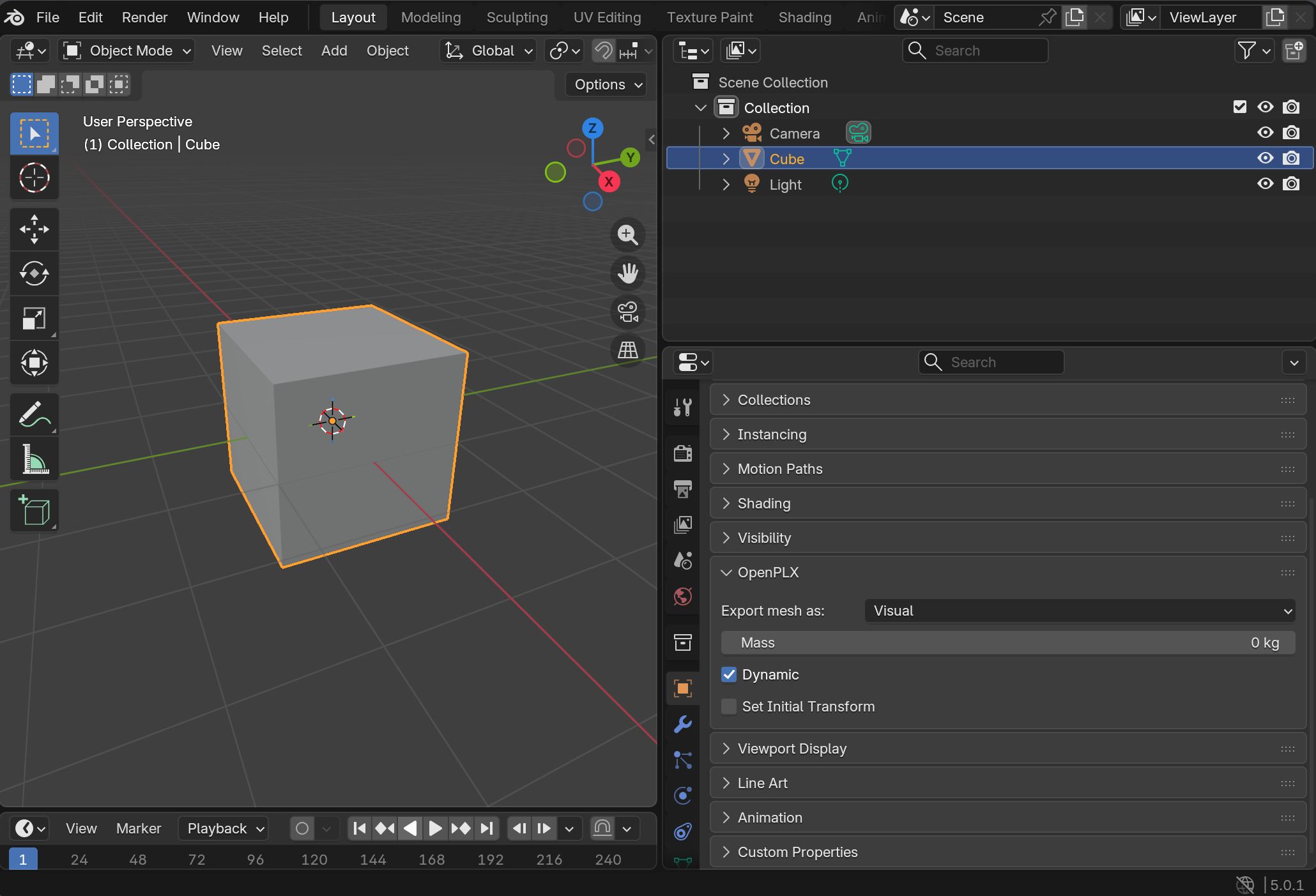
All selected meshes directly under a collection will together with their child meshes be exported as rigid bodies. Under the Object Properties for each mesh there is an OpenPLX panel with settings for the rigid body.
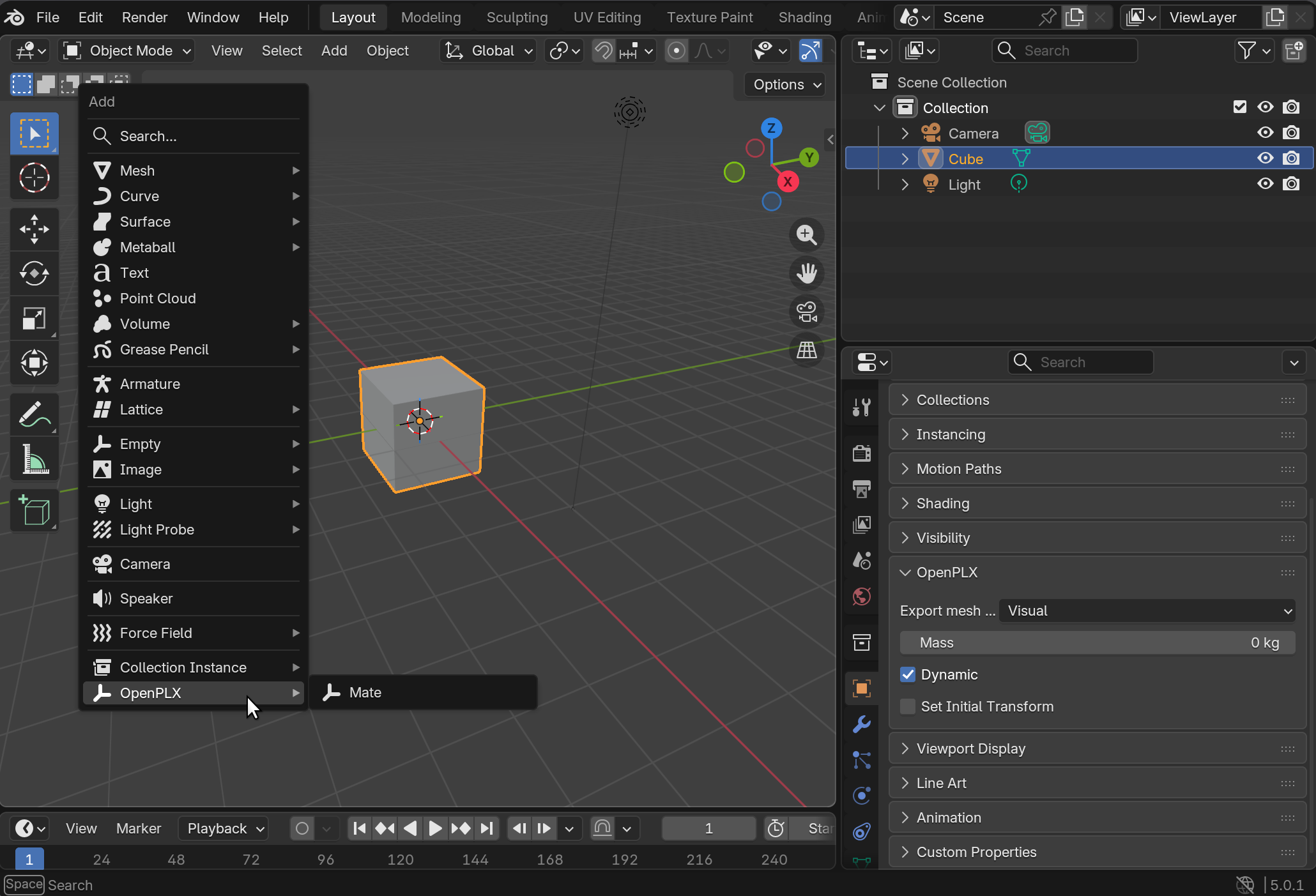
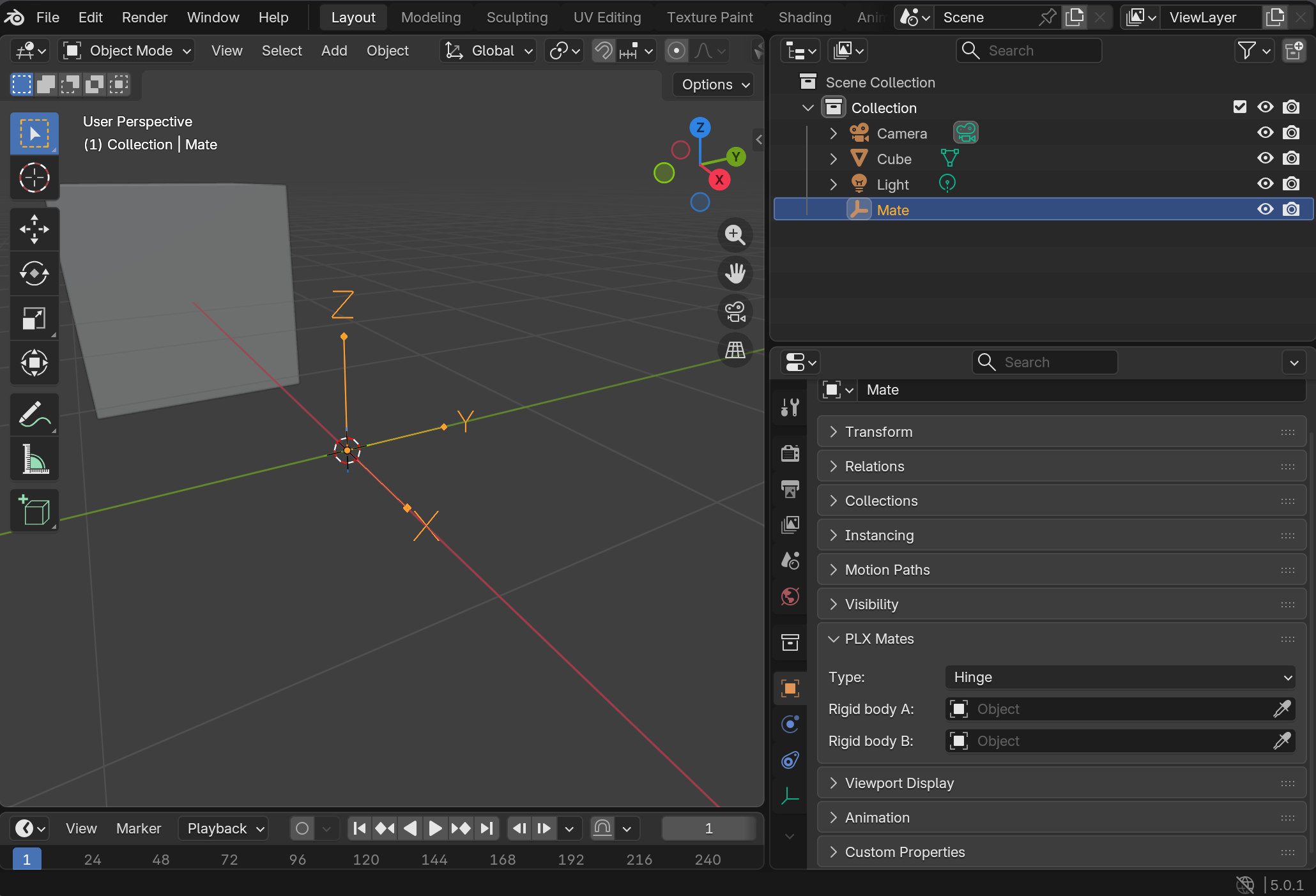
In the normal add menu in object mode there is a new OpenPLX group which has a single item "Mate" which adds a mate to the scene represented by an empty object displayed as an arrow axes. Under the Object Properties for these mates you will find settings regarding the mate, where you can select the type of mate: Hinge, Prismatic, Lock, Cylindrical, Ball as well as the two bodies the mate will constrain.
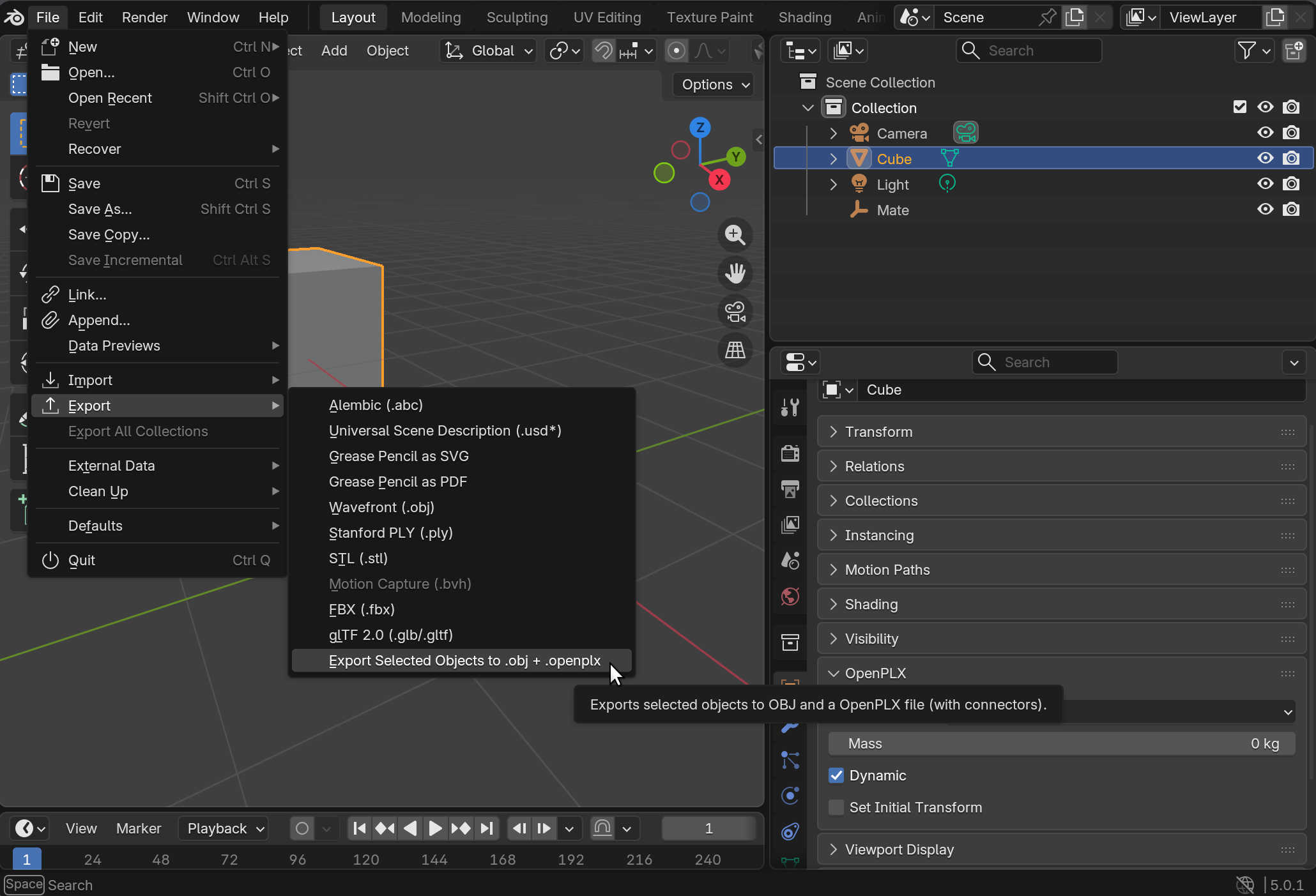
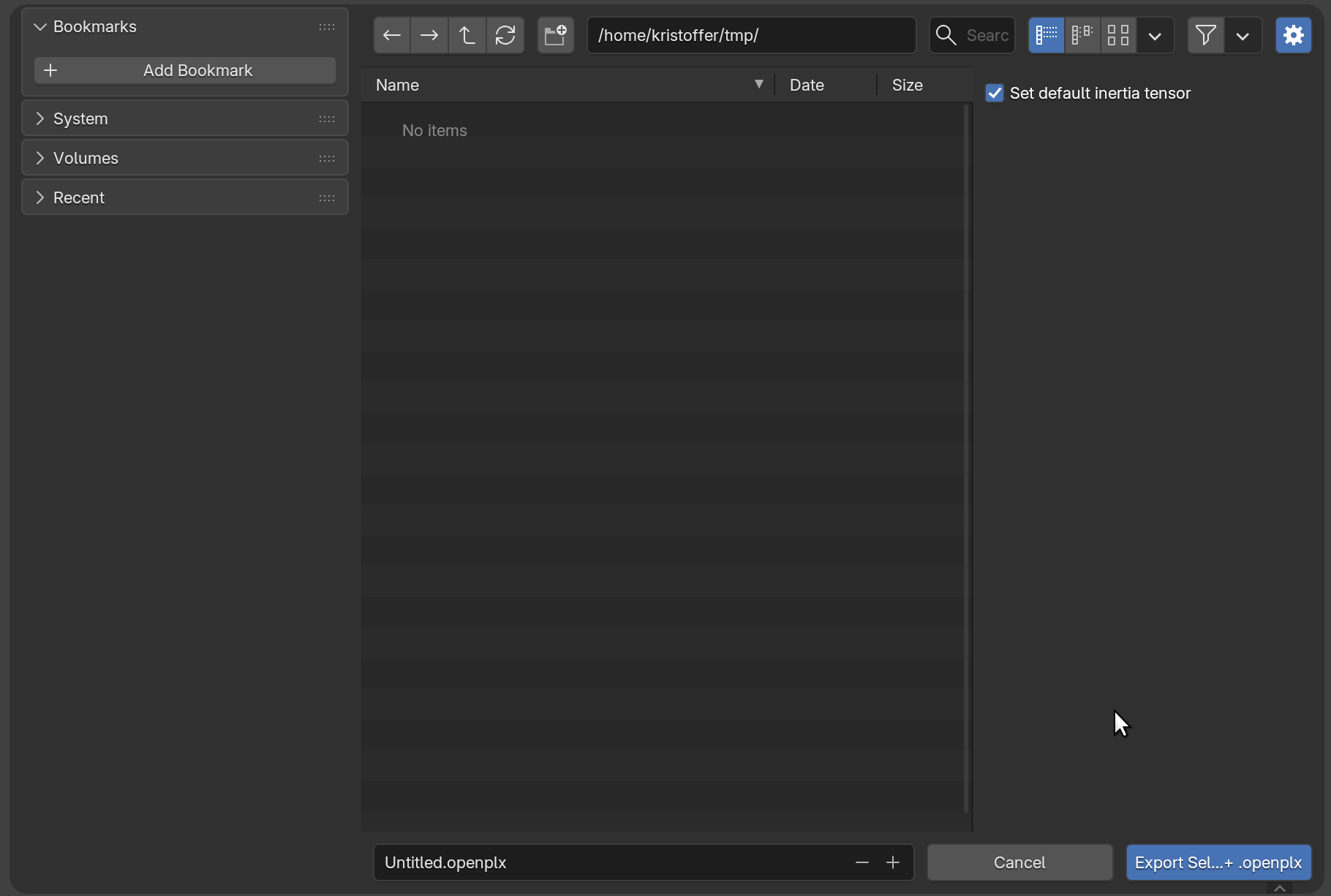
There is an special export menu where you can export the selected meshes and mates to .openplx, the mesh data will be exported in the same folder as .obj files.
Collision geometries
Under the Object properties of a mesh you can select if a mesh is exported as either a visual geometry, a collision geometry or both. You may also ignore a specific mesh for the export.
Note that if you export a visual mesh without any collision meshes children the rigid body becomes invalid since every rigid body needs mass properties, to mitigate this you can set an explicit mass in the OpenPLX panel in the mesh Object Properties. However bodies without collision geometries and an explicit mass also needs an explicit inertia tensor to be valid, in the export window there is a checkbox to enable setting a default symmetric inertia tensor which will be applied to all rigid bodies with explict mass and no collision geometry. Be careful that if you add explicit collision geometries later setting an explicit mass and inertia tensor disables automatic mass and tensor calculations.